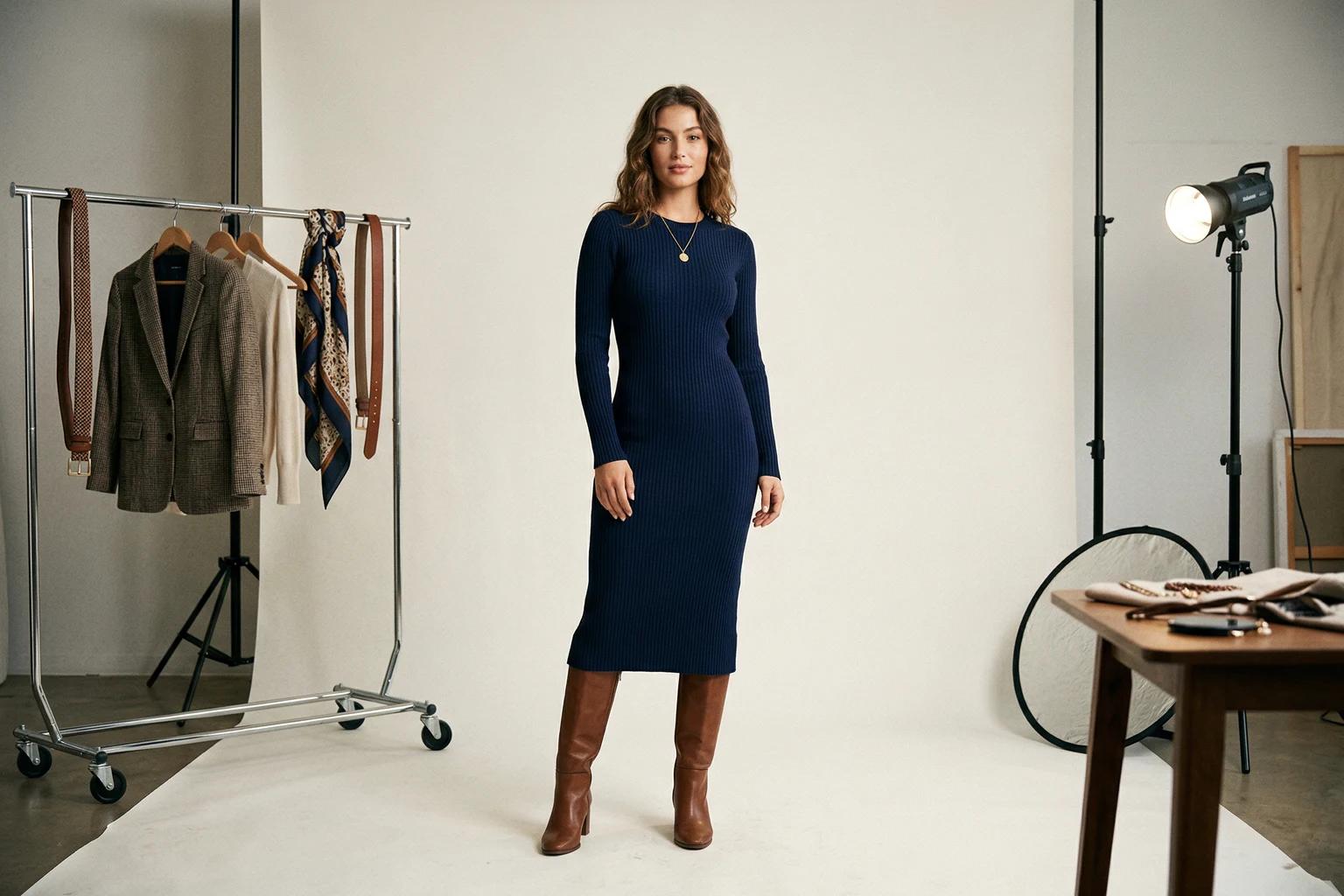
One of the most common content problems in fashion is not a lack of photography. It is a lack of usable variation. A brand may have a good product image, but it does not have a product detail page version, a launch email version, a social version, an ad version, and a motion version that all feel related. The team ends up forcing one image to do too many jobs or creating disconnected assets that no longer feel like they belong to the same product story.
The smarter approach is to treat one strong fashion photo as a source asset, then build channel specific versions from that foundation with clear rules. This does not mean cloning the same image everywhere. It means preserving the product truth while adapting the presentation to how each channel is actually consumed.
When teams do this well, they create more output without creating more confusion.
Start with the strongest possible source image
Everything depends on the source. If the original product image is weak, every derivative asset inherits that weakness. If the garment is clear, the lighting is stable, and the framing preserves useful information, the source can support many different downstream jobs.
This is why flexible source images are so valuable. A clean flat lay can support on body imagery later. A strong on model photo can support alternate crops, backgrounds, and social adaptations. A stable mannequin image can anchor both commerce and refresh workflows. The common thread is readability.
Do not think of the source image as a final answer. Think of it as the raw material behind several useful answers.
The PDP asset has one main job
The product detail page version should make the garment easy to understand. That means fit clarity, honest product presentation, and enough focus that the customer can trust what they are seeing. The background should stay restrained. The pose should support the garment. The crop should preserve the information the shopper needs.
This is the least forgiving channel because it is closest to the purchase decision. A beautiful but confusing image can still damage the page. That is why the PDP version should usually be the cleanest and most dependable of the set.
If you get this version wrong, the rest of the content system loses its center.
Email needs stronger emphasis and faster reading
Email behaves differently. The image often needs to carry the product story more quickly because the customer is scanning subject lines, headlines, and modules at speed. The product still needs to feel trustworthy, but the visual can support slightly more atmosphere or stronger emotional framing than a PDP hero would.
This is where a scene background, a more active crop, or a stronger styling context can help, as long as the garment still reads. Email is often a bridge channel. It needs enough product clarity to drive a click and enough energy to earn attention in a crowded inbox.
A lot of fashion emails fail because the image tries to do campaign work without enough product legibility. Others fail because they reuse the exact PDP visual without adapting it for faster reading. The best answer sits between those extremes.
Social needs speed and shape
Social assets operate under even more pressure. The image has to stop motion, communicate quickly, and still feel like it belongs to the brand. This is where composition, crop, and movement matter more. The product does not stop mattering, but the relationship between product and energy shifts. A social image can carry more scene, more motion, or a more expressive crop if that makes the asset more useful in feed or story contexts.
The mistake is thinking that social gives you permission to become vague. It does not. The product still needs to survive the adaptation. It just needs to do so in a more attention aware format.
This is where one product image can legitimately branch into several versions without becoming inconsistent, because each version is serving a distinct context.
Define what stays constant across channels
When teams repurpose one source image well, they know what must stay stable. Usually that includes garment truth, overall brand world, and a recognizable relationship between the versions. The model, styling, or core visual language should still feel connected. The product should still be the same product. What changes is the emphasis.
For the PDP, emphasis may sit on clarity.
For email, emphasis may sit on urgency and narrative.
For social, emphasis may sit on movement and stopping power.
If those layers are clear, the adaptations feel intentional rather than random.
Use background and crop as adaptation tools
Two of the most effective adaptation tools are background and crop. They let the team shift the feeling of the image without abandoning the source logic.
A clean backdrop may be right for the PDP.
A more atmospheric scene may be right for email.
A tighter or more vertical crop may be right for social.
These are meaningful changes, but they do not have to break the family resemblance of the asset set. In fact, they often strengthen it because they show the product responding intelligently to different viewing environments.
This is one reason brands should stop thinking about repurposing as simple resizing. Real repurposing requires editorial judgment.
[Visual suggestion: one apparel source image adapted into PDP, email, and social crops with different background intensity and framing]
Motion is a selective advantage
Motion can become another useful branch of the same source image, especially for social and launch contexts. A strong still image that already communicates the garment clearly can sometimes become a short motion asset that adds energy without requiring a full video shoot. This is particularly useful for products where movement reveals drape or mood.
The key is selectivity. Motion should help the product or the channel. It should not exist only because the tool allows it. If the still image already does the job better, then motion may be unnecessary. But when movement adds understanding or helps the asset travel better in a feed, it can create disproportionate value from a single source.
Build the adaptation sequence in the right order
The safest sequence is to build from the cleanest use case outward.
Start with the strongest commerce version.
Then create the email version that adds emphasis without weakening trust.
Then create the social or motion version that adds energy without losing the product.
This order matters because it protects the asset hierarchy. The most channel flexible image is usually the cleanest one. Once you have that, more expressive versions are easier to produce responsibly. If you start from the loudest version, it is harder to work backward.
Review assets in the environment where they will live
A repurposed image should never be reviewed only in isolation. The email asset should be judged inside an email layout. The social asset should be judged at mobile size and pace. The PDP asset should be judged beside the rest of the product page. This reveals problems quickly. A crop that looked elegant at full size may be useless in a module. A scene that felt subtle in isolation may become overpowering once placed beside text and offers.
Context is what tells you whether the adaptation actually worked.
This approach is often more efficient than teams realize
Once a brand gets good at this, one product image becomes much more valuable. The site gets a clean hero. The launch email gets a stronger visual hook. Social gets a more dynamic asset. Paid can test a channel aware variation. The creative team spends less time hunting for disconnected files. The brand world stays more coherent because the assets still belong to the same source logic.
This is especially helpful for smaller teams because it allows them to increase output without multiplying production burden at the same rate.
UNSTILL is well suited to this kind of workflow because the project output does not have to stop at one final still. The review, export, and video guide is built around exactly this stage of the process, and how to build a fashion PDP image sequence that helps shoppers decide faster helps define what the commerce version should prioritize first.
The practical conclusion
Turning one fashion photo into PDP, email, and social assets is not about squeezing one image until it breaks. It is about understanding how each channel sees the product differently, then adapting the same source with discipline. The product truth stays stable. The presentation changes where it should. The result is a set of assets that feels connected, useful, and intentional.
That is what repurposing should look like in fashion. Not a shortcut that makes every channel feel the same, but a smarter system that makes one strong source image work harder without losing the brand in the process. If you want to build that system on your own assortment, start with one proven still in Unstill and extend it only after the PDP version is doing its job.