
Fashion launches rarely miss their deadline because the team forgot the date. They miss it because the asset stack is uneven.
One category has polished on-model imagery. Another still has flat-lays from development. A few hero styles are ready for paid and email. The rest are waiting on sample approvals, retouching, or a shoot day that keeps slipping. If you treat that situation like a simple production delay, the launch gets messy fast.
The better approach is to treat incomplete imagery as a merchandising and content-planning problem. You do not need every asset at the same level on the same day. You need the right assets for the right SKUs, in the right order, with a clear standard for what can go live now and what can be upgraded later.
This guide breaks down how to launch with incomplete product photos without making the collection feel unfinished.
Incomplete imagery becomes expensive when priorities stay vague
Most launch stress comes from teams trying to solve every image gap at once.
That usually leads to bad tradeoffs. Hero products get reviewed too late. Low-priority SKUs absorb too much production attention. Collection pages go live with mixed visual logic. Email and paid teams start pulling whatever looks close enough. The problem is not just missing files. It is missing hierarchy.
The fastest way to regain control is to separate launch visuals into three questions:
- Which products need strong visual coverage before the collection goes live?
- Which channels need finished assets first?
- Which image gaps can be filled after launch without hurting the customer experience?
Once those questions are clear, production becomes easier to scope. If your team is still deciding which products deserve the deepest on-model treatment, how to prioritize on-model images across your fashion catalog is the right companion framework.
Start with a launch-tier board, not a loose asset list
Treat launch planning like assortment planning. Every SKU does not need the same visual depth.
For most fashion brands, a simple three-tier system is enough:
Tier 1: Hero products
These are the styles carrying the launch. They are likely to appear in homepage modules, paid social, launch email, and key collection placements. They usually need the most complete image set before launch day.
Typical Tier 1 candidates include:
- New silhouettes that need body context
- High-margin statement pieces
- Campaign-leading hero products
- Best-seller updates expected to drive volume quickly
Tier 2: Commercial support products
These products still matter, but they do not all need a full image story immediately. Often one strong PDP image plus a dependable collection page image is enough to launch cleanly.
Tier 3: Low-risk support SKUs
These are the products that can launch with simpler coverage as long as the imagery stays clear and consistent. Straightforward basics, replenishment styles, and lower-traffic support pieces often belong here.
The point is not to lower your standards. It is to stop pretending every product needs the same production path before the collection can ship.
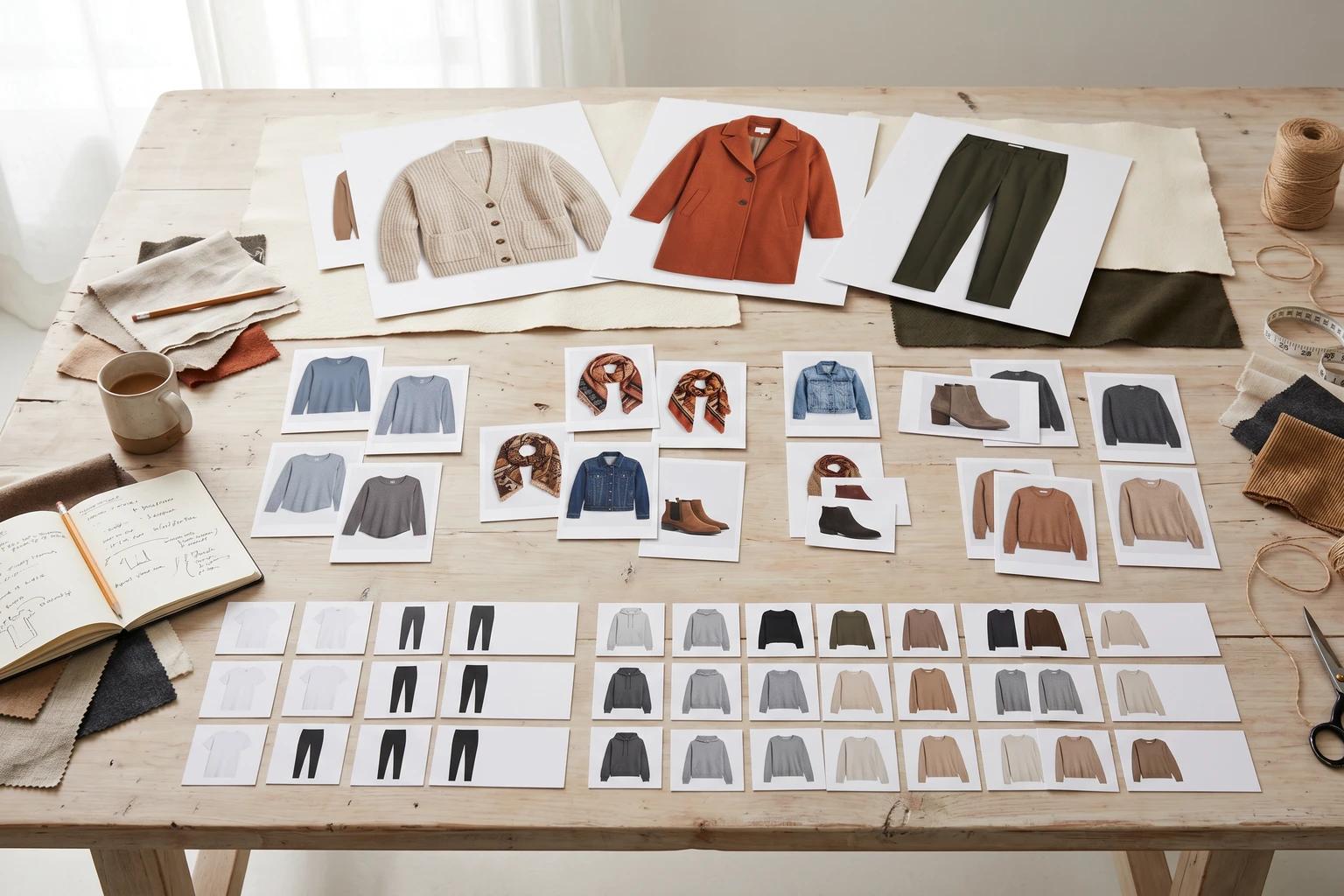
This board also gives ecommerce, creative, and performance teams one shared language. Instead of saying a product still needs more imagery, you can say it is a Tier 1 SKU that still lacks a readable on-model hero and a paid-ready crop.
Match asset depth to the job of each channel
A launch usually breaks down when teams confuse channel needs with perfection.
Your PDP, collection page, launch email, and paid creative do not all require the same version of the product image. They require the version that fits their job.
PDPs need trust first
The product page needs enough clarity for the shopper to understand the garment and move closer to purchase. For a launch, that often means:
- One readable hero image
- One useful supporting frame for fit, detail, or silhouette
- A consistent background and crop logic that matches the rest of the catalog
If the full sequence is not ready yet, the first job is to make sure the page is still trustworthy. How to build a fashion PDP image sequence that helps shoppers decide faster is useful here because it clarifies which missing frames actually matter most.
Collection pages need scan speed
Browse imagery should help the shopper compare products quickly. That means some products can go live with simpler coverage as long as the silhouette, crop, and background treatment still fit the grid. How to choose fashion collection page images that keep shoppers browsing covers that decision in more detail.
Email and paid need emphasis, not chaos
Campaign channels often need more energy, but that does not mean they need entirely separate visual logic. The safest launch workflow is to create the clearest commerce version first, then adapt the strongest source images outward for email, paid, and social. That same logic is what makes how to turn one fashion photo into PDP, email, and social assets without making each channel feel generic so useful during launch week.
When teams plan assets this way, incomplete imagery becomes manageable. You are no longer waiting for a perfect final set. You are making sure the most important selling jobs are covered first.
Build from the strongest source asset each SKU already has
Not every missing launch image needs a new shoot.
Some products already have enough source material to move forward. A clean flat-lay may be enough to build a collection page tile. A mannequin shot may already explain structure better than a rushed live shoot would. One strong on-model frame may be enough to support PDP, email, and paid variations if you adapt it with discipline.
That is why launch planning should include a source audit, not just a missing-assets list. For each priority SKU, ask:
- Do we have a clean flat-lay with good garment shape?
- Do we have a mannequin image that still reads clearly?
- Do we already have one strong on-model still?
- Is the missing problem really about coverage, or about consistency?
This is where a lot of launch waste hides. Teams assume a product has no usable imagery because it does not have every final version yet. In reality, it may already have enough to support the launch if the source is reviewed more strategically. That is also the thinking behind catalog consistency without reshooting every SKU. Strong launches often come from better standardization, not just more production.
Use AI to close specific launch gaps, not to generate endless options
This is where AI fashion visuals become operationally useful.
If your team is staring at a drop where some products have flat-lays, some have mannequin shots, and a few have older on-model frames, a tool like Unstill can help close the most important gaps before launch:
- Turn a flat-lay into an on-model image for a dress or jacket that needs body context
- Convert a mannequin shot into a cleaner hero frame for a priority PDP
- Create a more launch-ready background treatment for a product that feels visually out of step
- Extend one strong still into email or paid-ready variations without rebuilding the entire shoot plan
The discipline matters more than the tool. Do not create five extra options for a Tier 3 basic while a Tier 1 launch style is still missing its clearest selling image. Use the workflow to solve specific business problems in order.
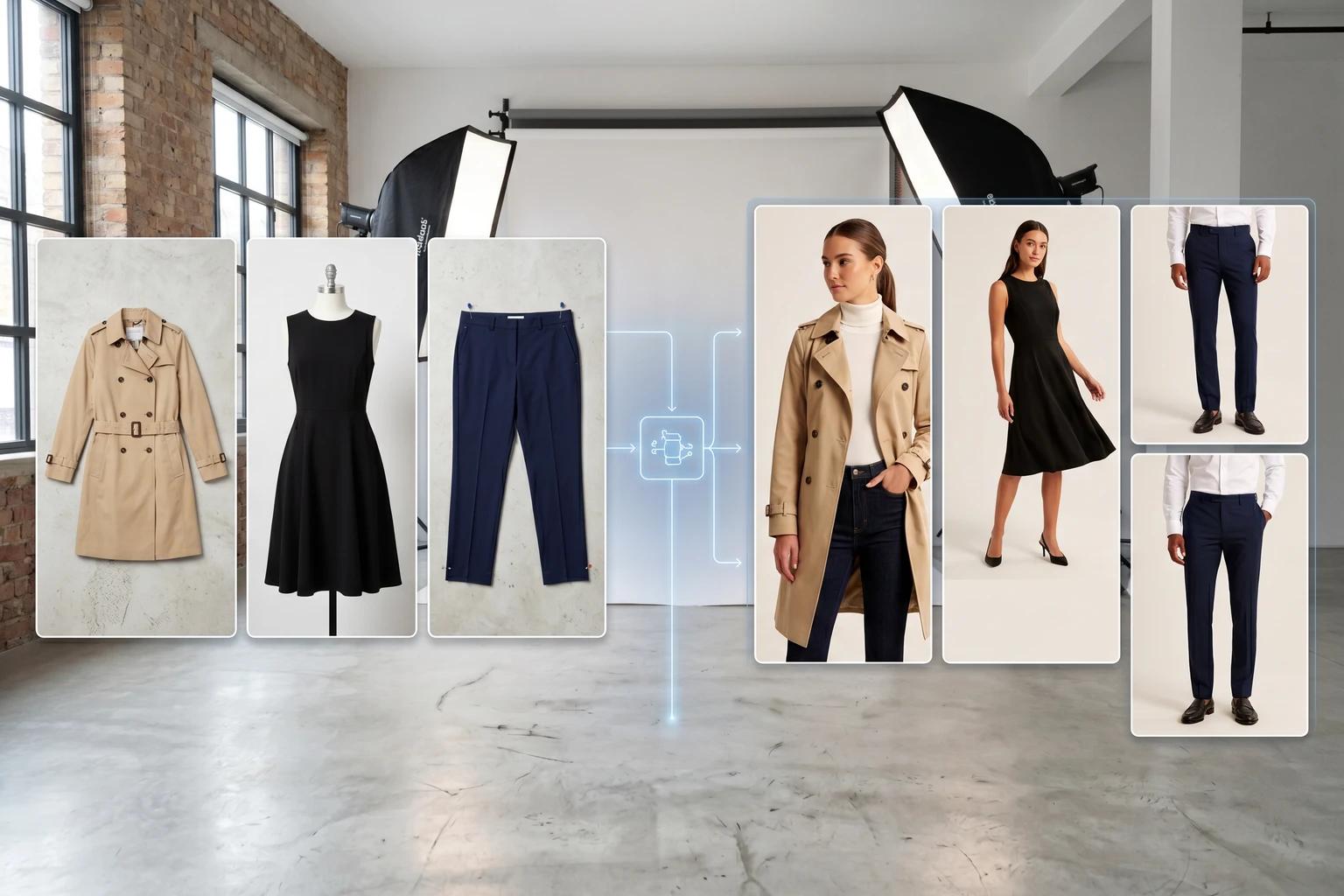
The teams that move fastest are not the ones generating the most variations. They are the ones making the next best visual decision for each product.
Keep the launch visually coherent even if coverage is mixed
A collection can still feel polished before every SKU reaches its final image state.
What matters is that the rules stay stable:
- Similar categories should share crop logic
- Background families should feel related
- On-model images should follow a repeatable pose style
- Browse tiles should not jump wildly between visual treatments
- Priority products should look intentionally prioritized, not accidentally overproduced
This is where many launches quietly fall apart. The individual images may be good enough, but the collection as a whole feels stitched together. Shoppers notice that inconsistency long before they can explain it.
If you need to launch in stages, be explicit about the upgrade path. Decide which Tier 2 and Tier 3 products will receive richer coverage after the first wave. That keeps the team from treating every post-launch update like an unplanned fire drill.
Review the launch at grid level and channel level
Do not approve launch images one file at a time.
Review them where customers will actually encounter them:
- The collection grid
- The PDP hero position
- The launch email module
- The paid social crop
This is usually where hidden problems show up. A product that looks fine in isolation may disappear in the collection grid. A campaign crop may feel strong until it sits beside three other products with completely different visual logic. A PDP hero may feel stylish but still fail to explain the garment.
Launch reviews are faster when they follow a simple test:
- Is the product easy to understand at first glance?
- Does the image match the role of the channel?
- Does it belong visually to the rest of the launch?
If the answer is no, the team needs a sharper asset decision, not a longer debate.
The takeaway
Launching with incomplete product photos is normal. Launching without a clear asset hierarchy is what creates chaos.
When you tier the assortment, match image depth to channel needs, and work from the strongest source material first, you can go live with a collection that still feels polished and intentional. Then you can improve the lower-priority coverage without putting the whole launch at risk.
Try this before your next drop goes live
Build a launch-tier board before you ask for more production. Then use Unstill to close the image gaps that actually matter first, so your collection can launch on time without looking pieced together.